Showing posts with label Development. Show all posts

Monday, February 04, 2008

Making WCF "Behave" - Part One

Some of the most misunderstood features of WCF are behaviors and channels. While these elements of the WCF stack offer a tremendous opportunity to customize the way WCF works, there is the perception (especially with channels) that it involves a lot of  "down to the metal" coding the requires an in-depth understand of of how communication stacks and network protocols work. While this knowledge would be helpful in any distributed computing paradigm, they are hardly required knowledge for extending WCF.

There is also a tendency to confuse behaviors and channels. While on a conceptual level these two types of objects are similar in that they effect communication  in some manner, they do so in different ways.

If you read my last post, you may remember that channels live in a stack between the binding and the transport. Therefore we can see that they impact how messages are communicated to a client and vice versa.

On the other hand, behaviors control the internal communication of the service by changing the way dispatchers function within the service host. It is fair to say that behaviors change the way the service host functions at runtime, while channels customize the way a particular endpoint communicates with a client.

So, a good follow up question is "What is a dispatcher?"

Dispatchers are basically traffic cops. The take incoming messages and route them to the appropriate service method. There are three types of dispatchers; channel, endpoint and operation.

Channel dispatchers receive messages from the channel stack. The channel dispatcher examines the address the message was sent to and sends it to the appropriate endpoint dispatcher. The endpoint dispatcher examines the action header of the message, and passes the message to the appropriate operation dispatcher. Finally, the operation dispatcher deserializes the message to get a set of parameters, and uses those parameters to call the method for the selected operation.

The use of dispatches in this manner allows us to create custom behaviors to act on endpoint operations by implementing the System.ServiceModel.Description.IEndpointBehavior interface or on an operation by implementing the System.ServiceModel.Description.IOperationBehavior interface. The separation of duties here is important as there are going to be behaviors that we wish to apply to all calls to an operation, in which case we would create an operation behavior, and others that we are only going to want to act on calls made through a specific endpoint, which would necessitate the creation of an endpoint behavior.

So, now we have a basic understanding of what behavior are, what they do, and where they fit in the WCF world. Next time we will create a basic custom behavior of our very own!

Monday, January 21, 2008

The basics of the WCF stack

During CodeMash I did two "Ask the Experts" sessions where it was my intention to talk about WCF, which I've really been "geeking-out" on for several months. In the combined two hours that I "served" I only had one person come in with an issue, and it was really more of a complaint about why he couldn't use WCF.

I spoke to him for a few minutes and while his communication needs were not exactly run of the mill, they certainly weren't outside of the scope of WCF, given a few extension to the stack with a custom behavior or a custom channel.

After talking to him and a few other people I came to a realization; while there are many people who are using WCF, the vast majority of them don't really know how powerful it is. Most people seem to be content using the out of the box features of creating the normal endpoints. And granted, for 90% of the situations you face those may be fine.

But WCF offers a lot more. It is a open and extendable architecture, and with a little knowledge of the stack, what piece does what and how to extend those pieces, you can have almost unlimited power over the universe!

OK, I'm exaggerating a little. But you can still do some pretty cool stuff!

Lets review the WCF stack. This will provide the foundation for subsequent posts about extending WCF.

Basic WCF Stack

As you can see from the diagram there are a lot of pieces of functionality between your service code and the client. In actuality the client side of the stack also consists of dispatchers, at least one binding, a channel stack and a transport as well. To keep this diagram simple I've aggregated those down to the proxy object that developers use everyday with WCF but keep in mind that these things exist on the client side and the ability to customize WCF extends to that side as well (There are a few things you have to keep in mind with that, more in another post)

When a client makes a call to your service, it invokes a method on the proxy. A transport carries the message across a network to the transport on the service side. Between the transport  and the binding element is the channel stack. For an incoming message, each channel on the stack has a channel listener that receives the message from the previous channel (or in the case of the first channel in the stack, the transport) and creates your custom channel object. The custom channel then performs some action, which may or may not be based on the message, and passes it on to the next channel listener in the stack (or the binding element if it's the last channel in the stack).

This binding/channel/transport stack is what is know to most WCF developers as and endpoint. When you create an endpoint for your WCF service you are selecting a binding/channel/transport stack to for your service to use to communicate with the world. Your service can support as many endpoints as you wish, each with a unique and independent binding/channel/transport stack.

The binding hands the message off to a series of dispatchers. I'll get into these in more details when I discuss custom behaviors, but the three dispatchers that the message passes through in it's way to your service code are the channel dispatcher, the endpoint dispatcher and finally the operation dispatcher. At each one of these dispatchers, behaviors have an opportunity to be invoked. As I'll demonstrate in a future post, while custom channels are responsible for controlling how your service communicates with external applications, behaviors influence how messages are communicated internally to your service.

The response from your service back the client is essentially the reverse of the path the request just took; the response is passed through the dispatchers (this time operation, then endpoint and then channel) to the binding. The binding passes the message to the channel stack, however this time the channel listeners have been replaced with channel factories. The transport passes the message to the network where the it is returned to the client via the proxy.

With all these steps it's clear to see that there are several opportunities for customization. The ability to create these extensions give WCF it's power to allow unlimited ability to tailor how users consume your service and gives a great amount of flexibility that allows systems on disparate technologies to communicate with each other without having to worry about it at the service layer.

Up next, custom behaviors...

Wednesday, January 16, 2008

WCF Brain Fart (and why you "need" base addresses)

Well, you don't really need them, unless you are using the basicHTTPBinding and want to see the WCF help page.

Or want to create a proxy from metadata.

Hmm... OK, maybe you DO NEED base addresses!

Maybe I should back up.

The other day I was showing someone how to throw together a quick WCF service hosted in a console application. This was strictly a "Hello World" type of service, and I got everything written and wired up in about 5 minutes. I didn't worry about setting up a metadata behavior or endpoint, just wanted to get the service up an running as fast as I could. I started the app and fired up IE to show the person the WCF help page (a sure sign that it works and I'm brilliant) but instead of the help page I got this error:

<faultcode >a:ActionNotSupported</faultcode>

<faultstring xml:lang="en-US">The message with Action '' cannot be processed at the receiver, due to a ContractFilter mismatch at the EndpointDispatcher. This may be because of either a contract mismatch (mismatched Actions between sender and receiver) or a binding/security mismatch between the sender and the receiver. Check that sender and receiver have the same contract and the same binding (including security requirements, e.g. Message, Transport, None).</faultstring>

That really sucked.

In my haste, and my eagerness to show how fast and easy it was to get a service up and running, I forgot one minor but important thing; if you want to see the help page, you need to specify the base address if you are using the basicHttpBinding.

It makes sense; if you don't use a base address, you are sending an HTTP Get to your endpoint. Unless your endpoint knows what to do with it, it throws a fault. The wsHttpBinding is able to handle it, but the basic binding rely's on the Service Host which has some internal functionality that gives you the help page.

But since you need base addresses to use the service metadata behavior, you're just better off making sure you use it.

Friday, January 11, 2008

Codemash Day 1 part 2

After my "Ask the Exports" time, I headed over to see Keith Elder talk about Microsoft Workflow. The meat of his presentation can be found here. It was an bit of an entry level talk, which I think is desperately needed. There are still a lot of misconceptions out in the Enterprise community about what Workflow is, how it works and how it fits in with things like the .NET framework overall and Biztalk. He's doing an more "advanced" talk later today "custom activities" which I'm looking forward to.

After that I went to see Dustin Campbell do some F# stuff. I was playing with F# a bit before my laptop died (Note to Dell, you actually have to plug the fans in for them to cool the laptop down.) I haven't really had time to re-install and get back into it. Dustin's talk was almost SRO; functional programming, F# in particular, seems to be something that has gathered a lot of interest.

After dinner, I got to play a lot of "Rock Band" with Keith Elder and Scott Hanselman. Keith is scary good at the "Guitar Hero" type games. Scott claims he's never played the game before, but he did a great job on the drums! As for me... well, have I even mentioned how much "Guitar Hero"is NOT like really playing the guitar...

... speaking of playing guitar, the "CodeMash jam session" also happened last night. I didn't feel like dragging my rig up (I already got enough shit from Kaufman and Wingfield about my "larger-than-necessary suitcase) and I'm kind of glad I didn't. Most of the group seemed to be older guys with acoustics play country and CSN stuff. I doubt any of them know any "Iron Maiden", "Helloween" or even "Limozeen!" I'll track Dustin down later and make him a deal for next year; if he brings his stuff, I'll bring mine.

OK, drink now, more writing later.

Thursday, January 10, 2008

CodeMash, Day One Part One

Well, day one for me got off to a "bumpy" start. I request a wake up call for 7:00 intending to work out, and get downstairs in plenty of time for a little breakfast and the beginning of Neal Ford's keynote. Well, unfortunately, my wake up call didn't arrive till 8:00, so I didn't get to work out, missed breakfast and missed the first few minutes of the keynote.

One that subject...

I really dig what Neal Ford is saying about dynamic languages. I've been playing with Iron Python for a little while now and I see a lot of benefit in it, although it's still a bit "rough" in my opinion. If I never end up using it in a production project, it has made me re-think the way I do things in C#. He said something in his presentation that got a little chuckle out of me; compilers are basically weak unit tests and spell checkers. I remember being in school and hearing a lot of my fellow students in the computer lab "I can't understand why it didn't work, it compiled." I didn't think I would hear that after I left school, but I hear it at least once a year from co-workers. He also beat the testing drum, which I'm all for. I really wish this philosophy would catch on more widely in software development. I don't know why, but I'm still surprised when I meet with a client and find out that they have NO unit testing practices in place at all! I've been doing it so long myself, that I can't imagine developing without it.

From there I went to see Joe O'Brien present "Ruby:Testing Mandatory." I have to admit, I was definitely handicapped here since I have zero experience with Ruby, but I'm always interested in anything that can enhance my test-driven chops (very helpful when I evangelize this to clients). It did get me more interested then I had been in Ruby. I have been playing with Iron Python for awhile now, but I've decided I need to make some time for Ruby as well.

After that I went to see Jay Wren talk about Castle. I've heard a lot about Castle, but never really used it. It was pretty interesting.

Scott Hanselman's keynote was great! Had a great, funny intro followed by some very cool stuff for IIS 7. I've been playing with IIS 7 for a few months, but clearly haven't even scratched the surface with the HTTP Modules. More stuff to start playing with when I get home.

Served my first tour of duty in the "Ask the Experts" lounge. It was pretty cool; I didn't get a lot of people coming in for "hard-core" stuff; got one person looking for book recommendations (but that's another blog post), one person who had an interesting challenge which I will blog about later, but for the most part it was kind of an hour and hanging out and talking with Catherine Devlin and Darrell Hawley. I've never met Catherine, and if I want to continue learning Python, I should definitely start reading her blog. I hadn't seen Darrell in awhile and it was fun to talk to him again.

Off to the next session. To be continued...

Monday, November 05, 2007

A Blast From The Past

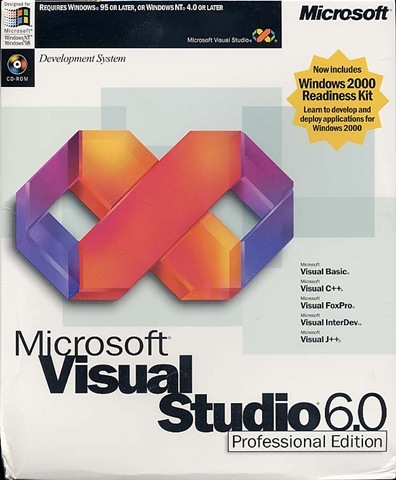
I had a bit of an unusual assignment from a client last week. I had to find a copy of Visual Interdev. Yeah, that one.

  MS_VStudio6Pro

The client in question has system that exports information from their common data model into a specialized one depending on client and purpose. Basically it dynamically crates an Access database from scratch and then copies data into it. The problem is that it does all this in VBScript. It's a ton of processing, and it all occurs in the pages life cycle. Understandably, this causes issues when the client has either a lot of data to export, or a complex destination schema. They are running into the inevitable problem now; processes are timing out.

The application is a ASP Classic web application written in notepad. For the time it was written, and the tools that were available to the developer, it's a pretty well designed and built application, but it's definitely showing its age.

The client wants to convert this to .NET, which I am 100% behind. The problem comes when a client with a system based on old technology wants to simply "convert" the application from one platform to another. The client in question hasn't indicated that this is their mind set, but I've had several clients in the past who have felt I should just be able to run their ASP Classic application through a conversion wizard and be done with it, so I'm mentally getting my ducks in a row if this turns out to be the case.

Not only does technology change, but architectural techniques and practices evolve. A design which may have made sense even five years ago can easily be rendered obsolete by changing business needs just as much by advances in technology.

The key problem with the current application is that the majority of the heavy lifting takes place in the page life cycle. Doing a "one-to-one" conversion from ASP Classic to .NET will make it run a bit faster, but you still have the underlying problem; the wrong part of the application is doing all the work. Sure, the increased performance may help for a while, but eventually there is going to be more and more data as their client base increases and they are going to have the same problem again. By performing a conversion like this the client is just reinvesting  in the wrong architecture.

In this case, it's clearly time for a ground-up redesign of the application.  Clients can often balk at this as on the surface it can present a larger investment; discovery must be done, a design phase is required and it's likely that nothing from the previous version can be salvaged.

But this situation also presents a lot potential positives that may sway a client as well. For one thing, the promise of a system that will grow with the business, not require the business to grow around it. An opportunity to overhaul the user experience may be a way to increase productivity. Perhaps your client have been clamoring for services that your current architecture can't support. Now is the time to look into including these and perhaps introducing new revenue streams. There are lots of ways to find ROI (besides just "Oh, it will work better") in situations like these, and it's very important to find these to make the redesign attractive to the client.

Saturday, October 20, 2007

Reliable Messaging with WCF at Day of .NET

Thanks to everyone who came to my session this morning. I really enjoyed presenting it and hope you all enjoyed it and got some valuable information. I would love to hear from you all in the future about how you are using WCF, and how the information I presented has helped you design your services infrastructure.

As promised, here is a link to a zip file with my slide deck and the two demos I presented. If you are running Vista the MSMQ demo will have to be run in Visual Studio running with elevated privileges the first time you use it. This is because, as I pointed out, if the queue it uses does not exist it will try to create it. As I mentioned I DO NOT condone this as a best practice in an actual application, but it made the demo easier.

Thanks again for coming out!

Monday, September 17, 2007

DevCares recap

Thanks to all the people who came out for my DevCares presentation last Friday in Cincinnati. I had a great time and I hope the material was helpful. It was almost as fun as watching my Browns rack up 51 points on Sunday. J

Just kidding. But any win for us this year is going to be welcome.

Anyway, I'm providing a link to the materials as promised. I'm including the "ppt" files for those of you with Office 2007 and slide shows for those of you without. I'm also including the completed solution for the "Custom Channels" presentation.


As I mentioned, I will be at the Dayton .NET Developers next Wednesday the 26th presenting Microsoft Patterns and Practices Service factory for WCF. I will also be presenting the DevCares content again in Columbus on Friday September 28th. And if you can't just get enough of me, or just want some more .NET goodness, I will be speaking on "Reliable Messaging with WCF" at the Day of .NET in Ann Arbor on October 20th.

Hope to see you all there!

Sunday, August 26, 2007

Beware the Workspaces of Team Foundation Server


I've been using Team Foundation Server since its first beta at quite a few clients and I like to think that I know a bit about it, but I learn something new every day.


Today I learned a little bit about workspaces.


For those of you new to, or unfamiliar with TFS, your work is done in the context of a workspace which maps local working folders to source control folders. This is a cool way to manage your source control mappings and allows you to do some pretty cool things such as cloaking folders (more on that in another post) and maintaining multiple working versions of the same project (helpful for sandboxing). It's similar to a working folder in Visual Source Safe, but with more features. Think of it as your working folder on steroids.


However, there are some little… idiosyncrasies that you need to be aware of.


By way of background, I am working on a project that requires Windows XP. I run Vista at work and home and since this is a short-tem project (which I actually hope to upgrade to Vista at some point) I didn't feel like setting my machine up to dual-boot. Another reason is that I have someone helping me on this project, and I didn't think he'd take kindly to me telling him "… oh, by the way, I need you to re-image your machine and set it up for dual-boot. I know you have deadlines and all, but you know, whenever you have a few minutes…" So, I created a Virtual PC for my development environment. My plan was to get the Virtual PC all set up with the appropriate third party software and drivers and get it configured so that it could just be copied to any developers working on it and we could start rolling.


This is where I found out that Team Foundation Server Workspaces are NOT strictly local creatures. This was discovered when, in an effort to get the VPC's setup for each developer, we managed to delete workspaces that not only were not associated with the project in question, were not in use on the VPC at all. We got them back, but it was a bit of a pain in the rear.


When you select "Manage Workspaces" from the "FileSource Control" menu in Visual Studio, you will see all workspaces listed that your account has access to, regardless of which physical computer they are listed on (see below). The killer is that you can actually delete and change a workspace from a remote location.


Keep this in mind when working with Team Foundation Server. And be careful out there!

Friday, July 27, 2007

Long Time, No Blog

Hi everyone!

I've been busy for awhile, but I'm starting to get some time freed up, so you should start seeing more regular content here.

For now, you'll have to accept the following rant to make up for the lapse:

<Rant>

I have a latest pet peeve: tools or applications that claim to be Vista compatible where the first step in the installation instructions is "disable UAC." This was doubly troublesome due to the fact that this particular tool required UAC to be disabled not just for installation, but for using the tool!

In my opinion, if you're going to claim Vista compatibility, you should support something as important as UAC. To require it to be disabled while you're installing is bad enough, to insist that you KEEP it disabled is ridiculous!

</Rant>

Monday, May 07, 2007

Day of .NET Recap

I should probably start this blog post by apologizing to everyone who attended my session for not being able to show a working demo. I did find out that I made two small errors; my resource file (the one I created in the first step) was miss-named. Therefore, when my pre-compile step tried to execute, it failed as it was unable to fine the file. I renamed the file, complied and it worked. Also, the "completed" solution didn't work because I tried to run it from Visual Studio when it was not in an elevated state. I will be sending the starting solution and the completed solution to the DODN organizers to post, with the slide deck, on the website. In the meantime, you can drop me an e-mail if you just can't wait and I'll mail it off to you.

But, this reminds me of something I didn't get to in my presentation; once you add the request for elevated privileges to your application, you MUST run Visual Studio with elevated privileges in order to run your application. If you'll remember from the presentation, your applications by default run under your standard user token. Once the application begins, without being elevated, it does not have access to the administrative token anymore. This will also affect you if your application attempts to perform an action requiring elevation and you HAVE NOT run Visual Studio in elevated mode. The solution it to right-click Visual Studio and select "Run as Administrator" which will ask you to confirm that you want to launch the application in elevated mode before starting the application.

Search (the part we ran out of time for)


Those who were disappointed with the search capabilities of Windows XP will be happy to know that the search facility in Vista is completely new and much faster and more user friendly.

Newer Microsoft applications (Windows, Office, SharePoint, SQL Server, Exchange, etc.) are built on a common search technology engine. It's important to understand that the engine technology, NOT the binaries are the same; the new search technology is simply packaged into a number of different forms. While the binaries are not the same, the similarity in the underlying technology allows for techniques used for one system to be used in another.

From a user standpoint, this translates into faster searches with the ability to be more specific about what you are looking for. This is possible because Vista takes a documents metadata into account when performing a search. For example, if you wanted to find all e-mails about vacation from Michelle, your search term would by "from:Michelle vacation." The "from:Michelle" property/value pair tells Vista to find all document with a property of "from" and a value of "Michelle." This can be used for any metadata property that is exposed by any document type in your system.

This common search functionally being deployed to the desktop also allows for Vista search functionality to be used in your application utilizing a specialized OLE DB provider and some extensions to standard SQL.

In order to utilize this search, you need to use a special OLE DB provider capable of accessing the operating systems indexing service. Out connection string is:

Provider=Search.CollatorDSO;Extended Properties=\"Application=Windows\";

For example:

SELECT System.Title,

System.ItemFolderPathDisplay,

System.ItemNameDisplay,

System.Document.CharacterCount,

System.Document.LastAuthor

FROM systemindex

WHERE SCOPE = 'file:C:/Users/Public' AND

CONTAINS('Day Of Dot Net')


This SQL is very similar to any other query you might write to query data from a table; you are selecting fields from a data store where certain conditions are met. In this case the values we are selecting are system values that will return metadata about files. We are searching "systemindex" (Vista's search index data store) where the file contains the string "Day of Dot Net" in the c:/users/public folder. In this case we are treating the systemindex like any other database table.

You can take this query and use it to populate either a data reader or a data set and manipulate the data just as you would for any other SQL query.

This provides us with another powerful tool that can be utilized in our Vista applications to enhance our applications value and provider a better user experience. And best of all, the other things discussed in the Day of .NET session, this is already built into Windows Vista. It's there, ready for you to use today!

Thursday, April 05, 2007

Dawn of a New Day… of .NET

The Great Lakes Area .NET User Group, The Ann Arbor .NET Developer Group and the Northwest Ohio .NET User Group are all co-sponsoring the "Day of .NET" on May 5th in Ann Arbor. More information can be found at their website.


Day of .Net May 5, 2007 - I'll be there!


This is a great opportunity to come and see some cool .NET stuff, learn some new tricks and participate in the .NET community.

There will be some great speakers, and I will be presenting "Windows Vista for Developers" for anyone who missed it at the February DevCares event.

See you all there!

Saturday, February 24, 2007

February DevCares Recap


February DevCares is history (at least in Columbus) and aside from a few technical glitches, I think things went well. My topic was new features in Vista and making application compatible with UAC. Jeff's topic was developing Gadgets and using Vistas RSS platform in .NET.


Aside from a few minor technical issues (it was kind of hard for Jeff to present RSS with a wonky Internet connection) things went very well. Drew gave me some good advice, and next time I'm not going to rely so much on my notes. I was too worried about trying to stay in-sync with the slides and I should have just talked to the group.


It was a relatively quiet group, but they asked some good questions, so they were definitely paying attention. Hopefully I was able to provide some value to their future Vista development AND demonstrate that those Apple commercials slamming Vista are totally full of crap!


I enjoyed Jeff's presentation, and especially in light of the network issues though he did a great job.


The content from both presentations will be up on the DevCares website soon. If you just can't wait, feel free to email me and I'll pass them along. Well, not Jeff's, you'll have to email him


Next month's topic is "Extending Word, Excel and InfoPath 2007" and "Building Workflow Applications on SharePoint 2007" and you can register at the DevCares website. And no, I don't know who's speaking yet, but I'm sure it will be great!


I would like to thank Drew Robbins and Microsoft for the opportunity. I really enjoyed it!


Now, some pictures (courtesy of Arnulfo Wing)


Monday, February 19, 2007

I will be speaking at the February DevCares event in Columbus

This Friday, Febuary 23rd, I will be presenting "Windows Vista for Developers" as part of Microsoft's DevCares event. It will be at the Babbage Simmel office in downtown Columbus.

I will be talking about some new things in Vista that developers can start taking advantage of now. I will demonstrate how to make your applications compatible with UAC, and if there's time how to use the new search functionality built into Vista. Jeff Blankenburg will be presenting on Sidebar Gadgets and Vista's built in RSS components.

You can register at http://www.devcares.com